
Dressmaker off the rack dresses, selling and gifts
Between commissions you can make dresses of your own design, show them in your shop window and sell them off the rack, or give them to a client.
Check an off-the-rack dress before selling it
Keep style tags, Quality and sale price separate. You can compare a free-design material plan without choosing a client, and estimate sale Quality without a Fit score. The website tools use the inputs you enter; they do not inspect your in-game dress.
| What you want to know | Start here | What the result means |
|---|---|---|
| Total style tags | Plan a dress without a card. Choose No card: just show the scores, then enter patterns, fabrics and accessories. | A material-plan estimate, not a live readout. The designer uses Build 410 data and one fabric per part; a mixed-panel dress or later update can differ. |
| Quality for a sale | Open the off-the-rack Quality calculator. Enter whole-dress Grain and Sewing. | The extracted Build 410 no-client formula uses 40% Grain and 60% Sewing, rounded. A last-seam reading is not the combined Sewing score. |
| How much it could sell for | Compare sale-price scenarios using material cost, Quality and shop rank. | Use the game’s final price preview before confirming a sale. |
Do not know the combined Sewing score? Try a few scenarios instead of assuming every seam matches the last one. The calculator cannot reconstruct the hidden total from a single seam. See which readings belong in each input.
Continue an unfinished dress without starting over
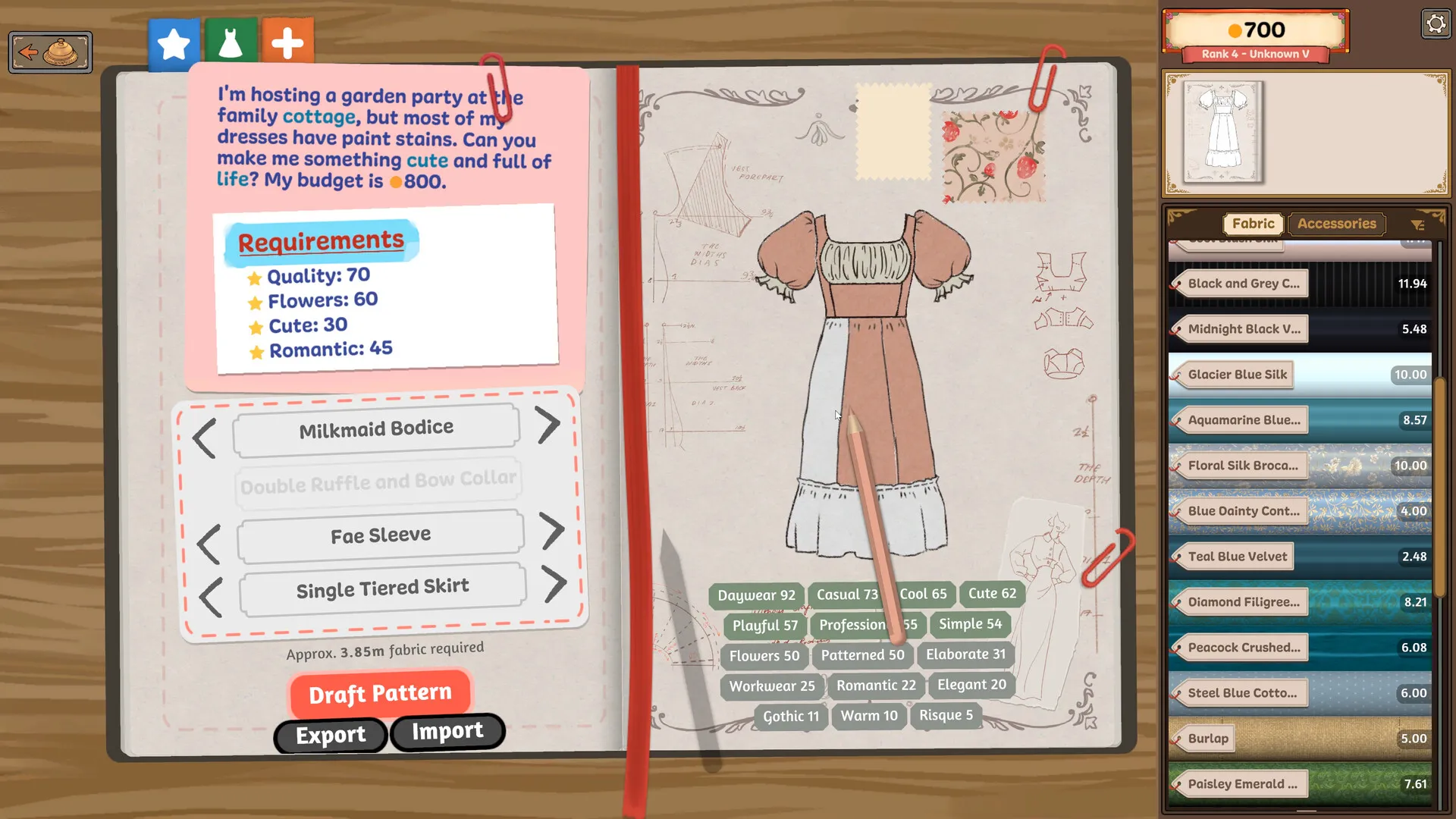
Open the sketchbook and turn to the page for the dress you were making, then return to the mannequin. Check the other pages before using Restart Dress.
| What you want | Start here | What to check |
|---|---|---|
| Continue another dress | Turn the sketchbook pages, then return to the mannequin. | Confirm the client or design before cutting. |
| Investigate a missing piece | Check the cutting table and inventory first. | Missing piece and seam checklist; reloading is not a guaranteed recovery. |
| Replace one wrong panel | Use the unpick and recut steps. | Check what cloth remains before buying or discarding more. |
| Remake the entire dress | Restart Dress is a reset, not a resume button. | Do not assume discarded cloth or spent money will return. |
For an off-the-rack project, save your inspiration, personal targets and next steps with a material plan. The website notebook is separate from your in-game dress.
How to make and sell an off-the-rack dress
- 1 · Open a free-design pageUse Make a New Dress in the sketchbook. Turn the bottom page corners to switch between this dress and a commission.
- 2 · Cut and sewChoose a design, cut its pieces, place every piece on the mannequin and stitch every seam.
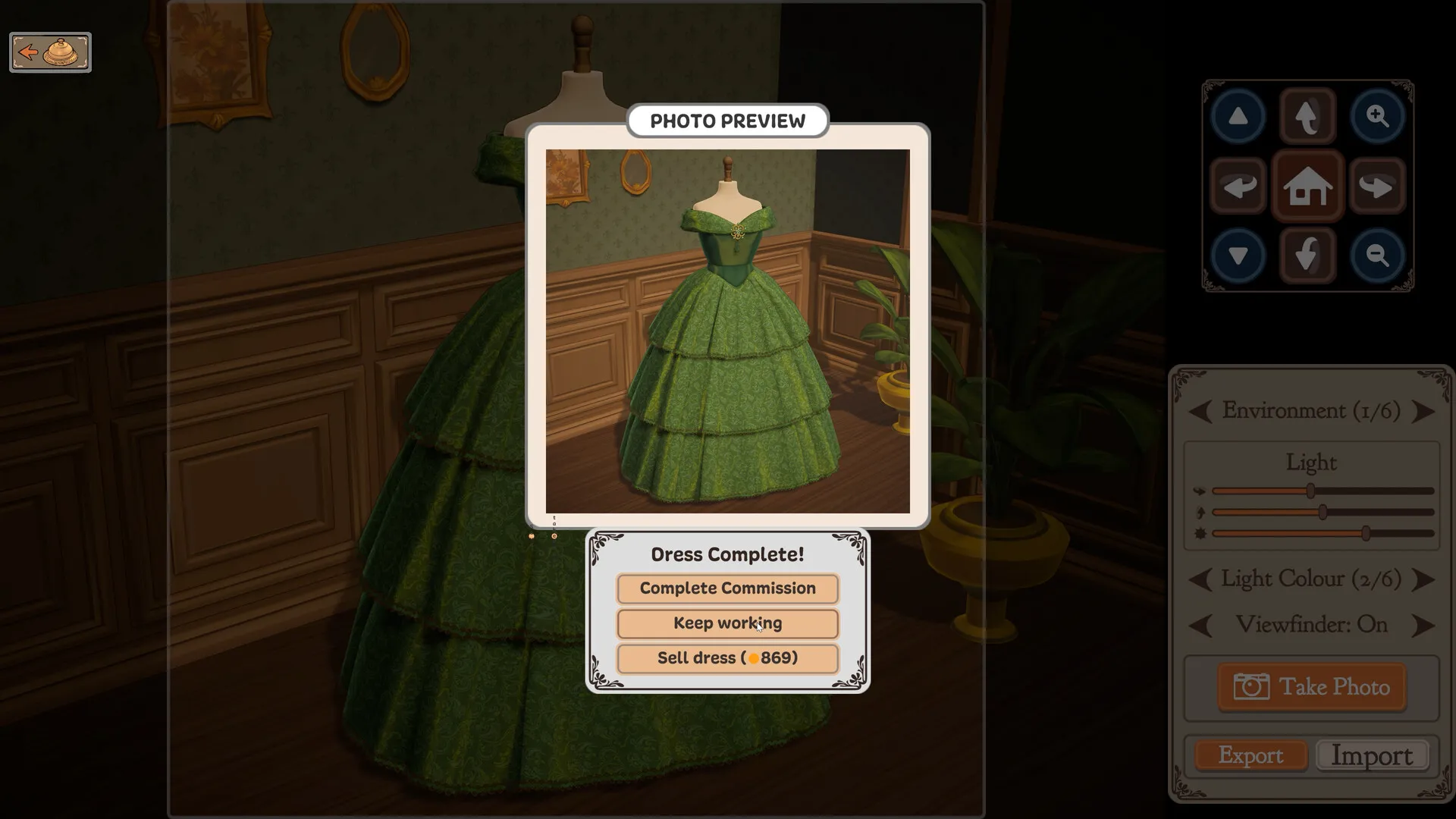
- 3 · Finish DressOn the mannequin, use Finish Dress once sewing is complete. Continue through the photo step.
- 4 · Sell dressCheck the price in the Dress Complete box, then choose Sell dress. Keep working returns you to the dress.
No Finish Dress button? Check sewing, not the score
An off-the-rack dress still needs every pattern piece on the mannequin and every seam stitched. The Finish Dress button is controlled by sewing completion, not by commission targets or how high the style scores are.
- Check that you are on the right dress. Turn the sketchbook’s bottom page corners to the free-design page you started. Each dress has its own page.
- Find any missing piece or stitch. Look on the cutting table and fabric for unused pieces; check both seam colours. Unpicking a seam removes the button again.
- Switch the side panel to Patterns. If the button stays hidden, try Patterns instead of Accessories. Check Accessories for a stray cut piece too.
- Save, quit and restart if it still stays hidden. A piece trapped behind the fabric stats or scissors can be freed by recycling that fabric.
More detail and the current workaround status are under the missing Finish Dress button.
When off-the-rack dresses open up
Off-the-rack dresses open up after the third commission, and that is when the game introduces them. The option may show up earlier, right after Rose’s tutorial dress, before the game has explained it, so it is worth a look in the sketchbook early. Burlap is free, which makes it the material for off-the-rack dresses when money runs short.
After the story: keep designing or start again?
The credits return you to the front desk. Continue in that save to make off-the-rack dresses with the materials and patterns you have already unlocked. You still buy and use materials as usual.
| What you want | Which path to use |
|---|---|
| Keep your collection and design freely | Continue your existing save and choose Make a New Dress in the sketchbook. This creates a free-design dress without replaying a completed commission. |
| Play the story from the beginning | Choose an empty save slot. It starts with the initial inventory and unlocks; the old save’s gold, bought materials and relationships do not carry into it. |
| Keep the old save as well | Use an empty slot and leave the completed slot in place. Deleting a slot is a separate action with a confirmation. |
An empty slot starts a fresh game, with no New Game+ carry-over. For the unofficial Sandbox Mode option, see sandbox, free design and story saves. To make a small project in your existing save, try a face drawn on a plain bodice.
Several dresses at once
You can have more than one dress on the go, off-the-rack ones and a commission side by side. Each has its own page in the sketchbook: turn to it with the page corners at the bottom of the book, and the mannequin or the cutting table then holds that dress. Fabric swatches you drag onto a sketch lock in place once the commission is delivered, so park them at the edges of the page rather than over the drawing.
Selling
Not sure whether a dress paid back the fabric you bought? Compare the sale with your actual shopping total. Materials still on the shelf are different from materials used in the dress; the tool shows both the dress margin and the cash change.
Any finished dress can be sold from the same box that completes a commission, and the box shows the price before you commit. You are limited by gold and by what you have unlocked, but money gets much easier once you sell dresses on the side. The achievement for spending over 5 000 gold on one successful dress, Opulence and Excess, is on all 32 achievements. The price is what went into the dress, scaled up or down by its Quality and your shop rank. How that works, and more ways to earn, are on making money fast.
Calculate the sell price before you finishCompare the material cost, Quality and shop rank with the sale value.
Gifting and friendship
Build 443 moves gifting later in the story. If Gift disappears after updating, check your story progress before assuming your save is broken; the patch does not specify the new exact unlock milestone.
The photo-screen sale button is now labelled Sell as off-rack. The sketchbook also has a new button for deleting off-rack dresses. Deleting is separate from selling; confirm which action you intend before using it.
A little way into the story you can also gift dresses to the clients you have met. Each client’s preferences and measurements then sit in the Sketchbook, so a gift can be made to fit. Each client also has five friendship stars; what gifts do to them is on friendship stars and gifts, and what each client wants in a gift is on gifts.
Budgets and pay
- What is the budget? It is what the client is meant to pay you when she accepts the dress. It is not money given to you up front, so your purse will not grow when you take the card.
- Does going over budget matter? Only to your wallet. The client pays the card’s budget whatever the dress cost you, so anything you spend above it is your loss.
- When are you paid? On delivery, not upfront. You get the card’s full budget whether the dress passes or fails. A failed dress also adds a quarter of a friendship star and a little prestige. The first patch fixed failed commissions paying nothing; if a delivered dress still pays nothing, report the card on the Steam discussion board. See patch notes.
- Budgets by card. Each open card shows its budget. Look a card up on the commission finder.
See what each shop rank unlocks as you earn more gold.