
Dressmaker quality: getting to 75, 80 and 100%
Commission cards start with a Quality line. Quality is decided at the cutting table and the sewing machine, and by the measuring and mannequin step.
Calculate the dress qualityEnter fit, grain and sewing to find what is missing. For a 95-quality target, open the Crowning Glory quality check.
Before calculating, check which readings to use: the last panel’s Grain Quality and the last seam’s Sewing percentage are not automatically the dress averages. If a combined value is unknown, compare scenarios rather than guessing a precise diagnosis.
How to increase Quality, quickest wins first
- Set the mannequin to her true size (up to 20 points). Fit is checked against the client’s real measurements, not your tape readings, so a tape reading about 3 cm off on one part can cost all 20 points. Copy her true bust, waist and hips from client measurements.
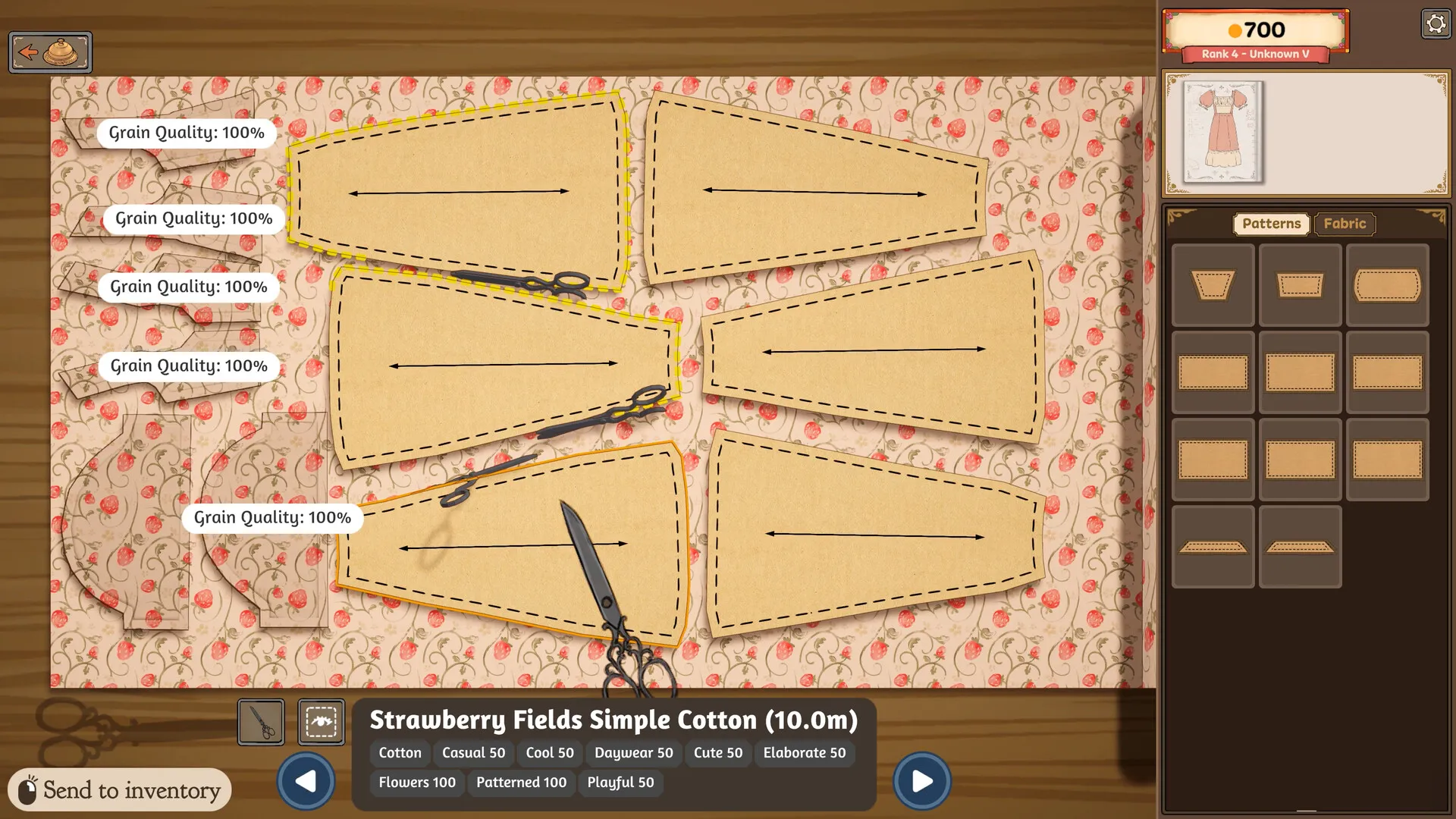
- Cut every piece on the grain (up to 30 points). Keep each piece’s arrow along the grain until it reads Grain Quality: 100%. Exactly across the grain scores 75; a slight tilt lowers either, and past a small angle a piece scores nothing.
- Sew slowly on the line (up to 50 points). Turn on Sewing Assist, slow down at corners, and redo a bad seam with the seam ripper instead of starting over; see below.
- Mind the rounding. The total is rounded, and a score of exactly .5 goes to the even number, so 94.5 is 94 and misses a 95 card. Get a little over the line rather than onto it.
What sets Quality
A commission dress’s Quality is three scores out of 100, weighted and added, then rounded to a whole number:
Cutting is the average Grain Quality of your pieces. Align every panel to the grain line when you cut it out. With the fabric oriented the way it is in the game, the arrows on the panels should run horizontally, and each piece shows 100% as you lay it out. Turning a piece off the grain on purpose, for a gradient or a print, is on grain, gradients and prints.
Sewing is how closely your seams stay on the guide line, with pieces that have more edges counting for more. Sew carefully and stay close to the line.
Fit compares the mannequin with the client’s true bust, waist and hips, not with the numbers the tape gave you. Each part within about 0.4 cm of her true size counts as perfect. Every client’s true size, and a checker that shows what your mannequin setting costs, are on client measurements.
A dress made without a client, such as an off-the-rack dress, has no fit score: its Quality is 40% cutting and 60% sewing.
150% Quality Bonus, but only 80 commission Quality?
The sale screen and the commission card check different things. A 150% Quality Bonus is a price multiplier: it multiplies materials plus labour by 1.5, before the prestige bonus. It is not a commission Quality score of 150. The sale calculation uses cutting and sewing; the commission also checks fit.
| Fit | Commission Quality | Quality used for sale | Sale Quality Bonus |
|---|---|---|---|
| 0 | 80 | 100 | 150% |
| 75 | 95 | 100 | 150% |
| 100 | 100 | 100 | 150% |
If the bonus is 150% but the card is short, check the client’s true bust, waist and hips against the mannequin settings first. The measurement checker shows the fit loss; then use the quality calculator for the commission target. More expensive fabric and extra decorations do not repair fit. For the money figure, use the sell price calculator.
Edith: perfect cutting and sewing, but only 80 Quality?
Check the mannequin before buying another fabric. A 100% mannequin reading compares it with your tape reading; the commission checks Edith’s true size. Fabric price does not enter the Quality formula.
- bust
- ≈ 111.1 cm
- waist
- 89.6 cm
- hips
- ≈ 119.7 cm
≈ marks an approximate size. Use these as mannequin starting values, then check all three measurements.
If either cutting or sewing is below 100, fit alone may not reach the card’s target. Check the numbers before recutting; this example does not promise that a finished dress can be resized.
Stuck at 80
Perfect cutting and perfect sewing with a fit of 0 gives exactly 80. So if every piece reads 100%, the seams are clean and the dress still sits at 80 or a little above, the mannequin is off the client’s true size. The accuracy percentage on the mannequin screen will not show it: that number compares the mannequin with your own tape readings, so it can read 100% while the real fit is poor. Set the mannequin to her size from client measurements instead. You do not need to measure her again.
How much Quality a mannequin setting costs, by how far each part is off:
| Off by | Bust only | Waist only | Hips only | All three |
|---|---|---|---|---|
| 0.5 cm | −0.5 | −0.6 | −0.8 | −1.9 |
| 1 cm | −2.0 | −2.4 | −3.1 | −7.5 |
| 1.5 cm | −4.6 | −5.3 | −7.0 | −16.9 |
| 2 cm | −8.1 | −9.5 | −12.4 | −20 |
| 3 cm | −18.3 | −20 | −20 | −20 |
The figures are Quality points before the final rounding, so treat them as approximate. Hips are the least forgiving: about 2.5 cm off on the hips alone loses the whole 20, and so does about 1.6 cm on all three.
So set the mannequin to the client’s true size, turn every piece until its arrow runs left to right and its label reads 100% before you cut, then sew slowly enough to stay on the line. You do not need more expensive fabric: when a dress falls short, check the arrows and the mannequin first.
Sewing Assist
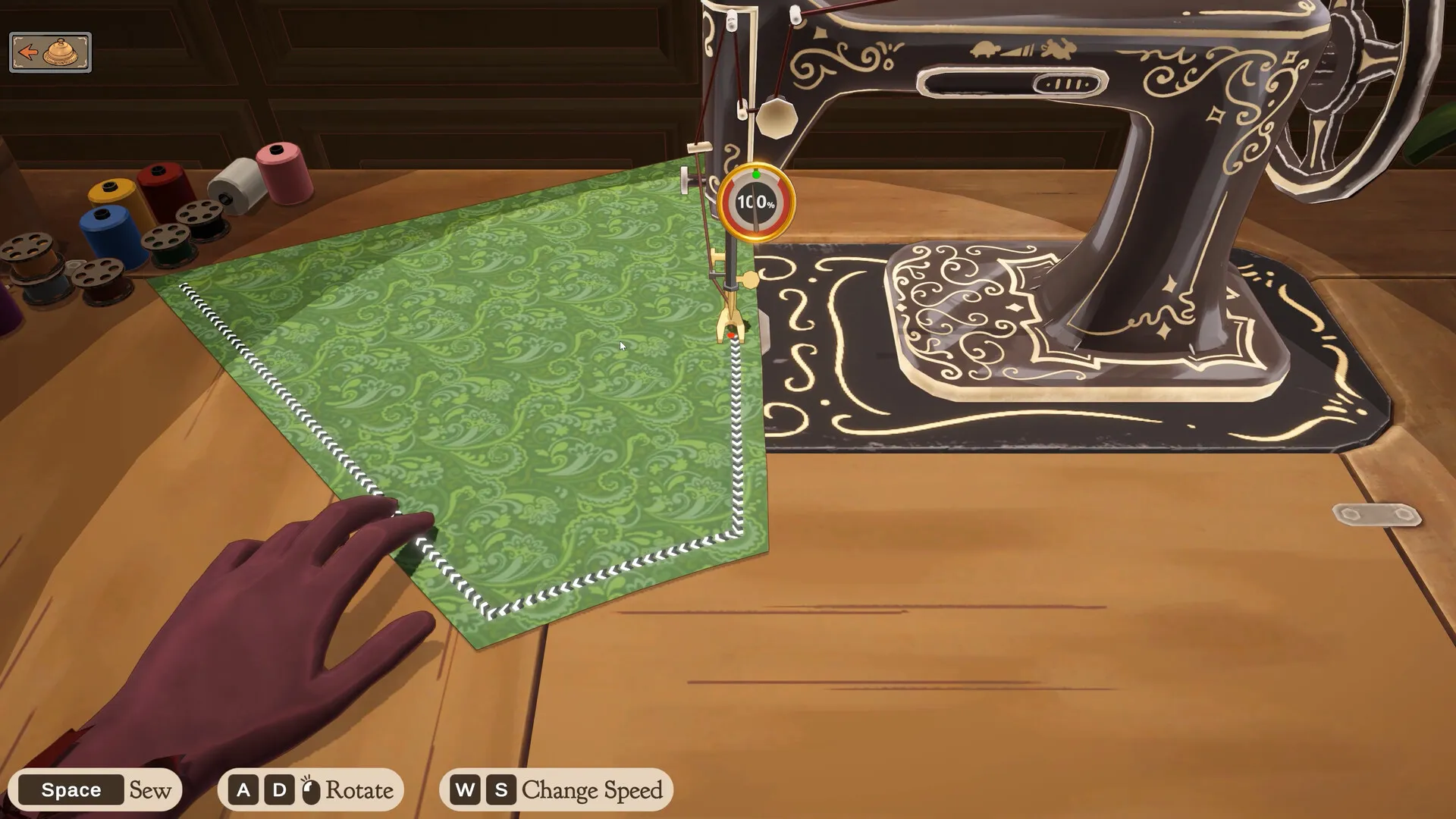
If staying on the seam is difficult, start with Sewing Assist in the pause menu and reduce the sewing speed. The assist steers the fabric; you still operate the machine. It does not skip the seam or guarantee perfect Quality.
| What is difficult? | What to try | What it changes |
|---|---|---|
| Keeping the fabric on the line | Enable Sewing Assist, then release mouse dragging and rotation keys. | The machine steers towards the seam. Manual rotation overrides the assist; stitch scoring stays the same. |
| Following a tight corner | Press S to lower speed before the corner; use W to raise it when ready. | You control the feed speed. Slower sewing gives more time to respond. |
| Moving textures or automatic zoom | Enable Less Animation. | Disables scrolling textures and zoom in the sewing and cutting scenes. It does not steer the fabric or remove every animation. |
Check a short section first. Release manual rotation, use a low speed and check whether the seam stays aligned. If the assist veers away at the same corner, stop feeding the seam before retrying. The Godet Skirt corner case has no verified pattern-specific fix here.
If the line remains too difficult to see or follow, these settings may not meet your accessibility needs. They are not a verified skip-sewing mode. For an already damaged seam, review the unpick and recut options; for camera motion, compare the camera setting.
Already sewn and still short
You do not have to start over or buy new fabric. Click the Seam Ripper button in the mannequin view, click a sewn panel to unsew it, and drag it into your inventory. At the cutting table, drag the panel from the inventory onto the recycling basket, which appears in the bottom right while you drag. You get the fabric back, and the panel turns back into paper with its grain line, ready to recut.
The game does not tell you which pieces were cut wrong. If the offcut is still on the table, compare the holes in it with each piece to find the one cut at an angle. Sometimes the recycle basket does not return the fabric, or a pattern piece vanishes after unpicking; both are on known bugs.
The fabric roll and Restart dress
The fabric on the table is a roll. Only about 2 m shows at once; scroll along it with the arrows at the bottom of the screen. It rolls out to 10 m and stops there, so past that point you have to cut before you can go further.
To continue an unfinished dress, first turn to its page in the sketchbook and return to the mannequin. Restart Dress resets the construction; it is not a way to reopen the dress. Do not rely on it to refund cloth or money, especially after discarding scraps. Try the single-panel recycling steps above before resetting the whole dress, and inspect what material remains. Compare resume, recut and restart actions.
How much Quality the cards ask for
Across the 76 cards on the commission finder with a Quality floor, the requirement runs from 60 to 95. The number itself passes: 80 on a Quality 80 card is enough.
One card is left out of that count because it works the other way. Prudence’s Not Haughty wants an uncomfortable dress, and its Quality 70 is a ceiling even though the card does not say Max: a better-made dress fails it. Sew this one badly on purpose: Not Haughty, step by step.
The late story asks for more. Adora’s coronation dress, Crowning Glory, wants Quality 95, and she will not take a dress at 94. With a perfect cut and perfect sewing, the score before rounding is 100 minus what the fit costs, and it has to be above 94.5 to round to 95: exactly 94.5 rounds down to 94. So fit may cost just under 5.5 points. To stay safely inside that, keep the mannequin within about 0.8 cm of her true size on every part: 91.6 bust, 71.4 waist, 101.0 hips. That holds the fit’s cost to 5 points. If a dress you cut and sewed at 100% still stops a few points short, the mannequin is what is off: set it to those numbers and make the dress again.
100 Quality but no achievement?
99 Problems But A Stitch Aint One asks for one dress at 100% quality. Steam counts 72.2% of players with it. A commission card showing 100 is not always enough. The achievement leaves fit out: it uses 40% cutting and 60% sewing, rounded to 100. A raw total of 99.5 rounds up to 100. You only need one qualifying dress, not every story commission.
| Grain / sewing / fit | Commission | Achievement score |
|---|---|---|
| 100 / 99 / 100 | 100 | 99 — below the target |
| 99 / 100 / 100 | 100 | 100 — meets the score |
| 100 / 100 / 80 | 96 | 100 — meets the score |
Use whole-dress grain and sewing averages, not the 100% label on one panel or one seam. A small sewing loss can disappear in the rounded commission score while still leaving the achievement score at 99. Check your numbers in the Quality calculator.
- Check the no-fit score. Changing the mannequin cannot raise this achievement score. Improve grain or sewing instead; redo a poor piece or use Sewing Assist.
- Finish the transaction. Hand in the commission, confirm the sale of an off-the-rack dress, or give the dress as a gift. That is when the achievement check runs; opening the finished-dress view or its sale preview is not the trigger.
- Check Steam separately. The Quality calculator checks the score from your inputs; it cannot read your save or confirm a Steam unlock. If a qualifying dress still does not unlock it after hand-in, sale or gifting, keep a screenshot of the scores and describe the action you completed in a bug report.
For the other unlock conditions, see all 32 achievements.
For Adora’s final dress, the Crowning Glory quality check starts the calculator on her coronation requirement and checks colours and trims too.